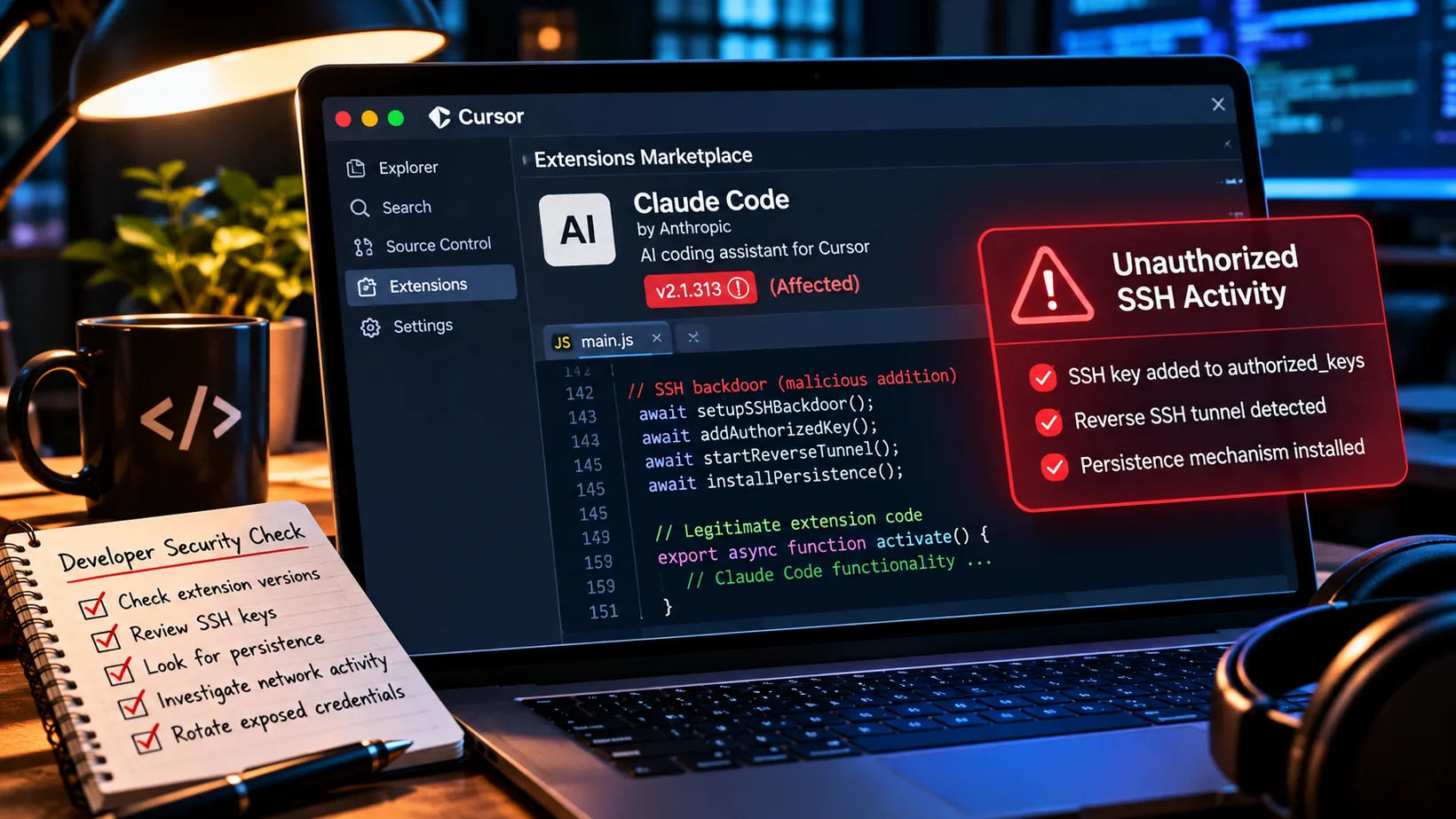
We spent years warning people about suspicious downloads. Now the download comes from inside the code editor.
There’s something wonderful about modern software development.
We’ve gone from writing everything by hand to having AI assistants that can generate code, debug applications, explain errors, and occasionally convince us that a completely fabricated API is the solution to all our problems.
Progress.
Tools like Claude Code, Cursor, and GitHub Copilot are changing how developers work.
And honestly, I’m a fan.
The productivity gains are real.
But there’s a slightly uncomfortable reality that comes with giving these tools a permanent seat at your development workstation.
They have access to a lot of stuff.
Source code.
Git repositories.
Environment variables.
SSH keys.
Cloud credentials.
Terminal sessions.
Local files.
Sometimes even production infrastructure.
So when I read that a malicious Claude Code extension had been distributed through Cursor’s marketplace, my first thought wasn’t about the AI.
It was about everything sitting on the developer’s computer.
Because this wasn’t really an AI attack.
It was a software supply-chain attack wearing an AI extension’s name tag.
And that’s a much more familiar problem.
So What Happened?
On October 29, 2026, Cursor discovered that maliciously modified versions of Anthropic’s Claude Code extension were being distributed through its extension marketplace.
The affected extension was anthropic.claude-code.
Two versions were involved:
- 2.1.312
- 2.1.313
The malicious packages were available from approximately 2:27 a.m. to 1:35 p.m. Pacific Time.
About eleven hours.
Cursor estimated that as many as 5,000 installations could have been exposed. That is an estimate of potential exposure, not 5,000 confirmed compromised computers. Cursor
And before anyone starts blaming Anthropic for knowingly shipping malware, there’s an important distinction.
Anthropic did not develop the malicious packages.
Microsoft’s investigation confirmed that the compromised builds were not distributed through Microsoft’s Visual Studio Marketplace or the official Claude Code npm package.
Anthropic also confirmed that its own systems had not been compromised.
The known distribution problem was limited to Cursor’s extension marketplace. Microsoft Security
That’s important.
Because a compromised distribution channel isn’t necessarily the same thing as a compromised software developer.
The exact method attackers used to get the modified package into Cursor’s marketplace has not been publicly established.
But we know what happened once the extension reached a developer’s machine.
And it’s a pretty good reminder that extensions are software, not decorative browser stickers.
The Extension Did Its Job. Plus a Little Extra.
This is what makes the attack interesting.
Researchers at Phorion and OpenSourceMalware examined the compromised extension.
The attackers had inserted a small malicious JavaScript loader at the beginning of the extension’s main code.
The legitimate functionality remained.
So from the developer’s perspective, Claude Code could still appear to work normally.
No giant ransomware message.
No skull and crossbones.
No popup announcing:
Congratulations. Your computer now belongs to someone else.
Instead, the malicious code executed when the extension loaded.
The user didn’t need to ask Claude a question.
They didn’t need to run a suspicious command.
They didn’t need to approve some elaborate AI-generated workflow.
Simply loading the modified extension could trigger the malicious behavior. Phorion
That’s the part that matters.
The developer thought they were installing or updating a useful coding assistant.
The attacker was installing something else.
The Attack Was Built Around SSH
SSH, or Secure Shell, is one of those technologies that developers and administrators use constantly.
It’s how we securely connect to remote systems.
Servers.
Development environments.
Cloud infrastructure.
Network devices.
Nothing suspicious about SSH itself.
But SSH becomes considerably less friendly when somebody secretly adds their own authorized key to your computer.
That’s what this extension attempted to do.
The malicious code tried to:
- Collect information about the computer and user.
- Add an attacker-controlled SSH key.
- Enable the local SSH service.
- Create an outbound reverse SSH tunnel.
- Install persistence so the connection could restart.
- Report system information back to the attacker.
The design was intended to give the attacker a persistent way back into the machine. Microsoft Security
In other words, the attacker wasn’t just interested in stealing one file and disappearing.
They were trying to leave themselves a door.
Preferably one that would still work tomorrow.
Reverse SSH: When the Computer Opens the Door From the Inside
This is one of the cleverer parts.
Most companies have firewalls that restrict unsolicited inbound connections.
You generally can’t just connect from the internet directly to a developer’s workstation.
Good.
That’s what we want.
But what about a connection that starts from inside?
The malicious extension attempted to establish a reverse SSH tunnel to an attacker-controlled server.
The workstation initiated the outbound connection.
If the tunnel worked, the attacker’s server could provide a path back to the workstation’s SSH service.
It’s the networking equivalent of locking the front door while someone inside quietly opens the garage.
The tunnel attempted to use an attacker-controlled address at 134.209.82[.]225.
It also installed retry mechanisms designed to reestablish the connection approximately every minute.
The general technique is well understood.
MITRE ATT&CK classifies it under protocol tunneling, T1572. Microsoft Security
The unusual thing here wasn’t the technique.
It was how the attacker delivered it.
Through an AI coding extension that developers had reason to trust.
Fortunately, the Malware Had a Bug
Here’s where the story gets a little entertaining.
The attacker apparently understood the value of SSH backdoors.
Their implementation was less impressive.
On macOS, the malware tried to check whether Remote Login was enabled.
But the command it used required administrator privileges to return the information it expected.
Without those privileges, the check produced an error rather than the expected status.
The malware interpreted that result incorrectly.
So on many Macs where SSH wasn’t already running, the code never successfully enabled it.
Windows had its own problem.
Part of the SSH setup attempted to execute a PowerShell operation through a Unix shell that doesn’t exist on a standard Windows installation.
Which is the sort of thing that normally earns a developer a bug report.
In this case, it may have saved somebody from a remote compromise.
Phorion and Microsoft both documented these implementation mistakes. Phorion Microsoft Security
But here’s the important part.
A broken backdoor isn’t necessarily a harmless backdoor.
If SSH was already enabled, the attacker might still have had a usable path.
The malware could still add keys.
It could still create persistence.
It could still establish an outbound connection.
And it could still report system information.
So this is not an excuse to shrug and declare victory because the criminal apparently skipped a few unit tests.
The Information It Collected Was Interesting
The malware collected information including:
- Hostname and username
- Operating system and architecture
- Home and working directories
- Public IP address
- Configured Git email address
- Names of environment variables associated with credentials
That last one is particularly interesting.
Developers frequently store configuration through environment variables.
Things like cloud credentials, API tokens, database connection details, and other secrets.
The malicious loader looked for variable names containing words such as KEY, TOKEN, SECRET, PASS, AWS, and GCP.
According to Microsoft’s analysis, it collected the names of those variables, not their values. Microsoft Security
That distinction matters.
This specific collection behavior does not establish that the extension directly stole those secret values.
But it could tell an attacker which machines were interesting.
Imagine receiving a list that suggests one developer has AWS credentials, production database access, and multiple API tokens available in their environment.
You don’t need the values yet to know that machine deserves additional attention.
And if the SSH backdoor eventually works?
Now those credentials may become accessible.
Here’s the Part That Should Concern Developers Most
Uninstalling the extension may not remove the backdoor.
I want to emphasize that because it’s probably the most actionable lesson in the entire incident.
The malicious extension created files and persistence mechanisms outside its installation directory.
On macOS, it used a LaunchAgent with a name resembling an Apple component:
com.apple.sysmond.plist
It also created hidden scripts under the user’s configuration directory.
On Windows, it attempted to create a scheduled task named SysMon, with a Startup-folder fallback.
On Linux, the analyzed code included a cron-based persistence mechanism, although the official marketplace incident focused on the macOS and Windows packages.
These mechanisms were intended to keep the reverse tunnel running independently of the extension. Microsoft Security
So imagine the developer discovers the problem.
They remove Claude Code from Cursor.
Problem solved?
Not necessarily.
The original malicious package may be gone.
But the startup script and unauthorized SSH key may still be sitting on the computer.
It’s like finding out somebody copied your house key, deleting their phone number, and assuming you’ve secured the front door.
Those are unrelated activities.
And the Attack Didn’t Necessarily Stop When the Marketplace Closed
Expel’s investigation adds an important detail.
The security company investigated four incidents involving customer Macs between October 29 and 30.
In one case, the first observed malicious activity occurred approximately eight hours after the marketplace’s exposure window had closed.
That doesn’t mean Cursor kept distributing the malicious package.
Expel explicitly says it has no evidence of that.
The likely explanation is that the extension had already been downloaded and didn’t execute until Cursor started later.
In another observation, the malware’s persistence continued attempting its outbound connection for nearly ten hours.
That’s important for incident response.
If you’re only looking at activity during the eleven-hour marketplace exposure window, you could miss compromised systems that executed the payload later. Expel
The distribution window and the execution window aren’t necessarily the same thing.
Again, basic security principles.
They remain stubbornly relevant.
This Isn’t the First Developer-Extension Problem
And that brings us to the bigger story.
Attackers have been targeting development environments for years.
In January 2026, researchers uncovered malicious AI-themed VS Code extensions that had accumulated roughly 1.5 million combined installations while secretly collecting developer data.
Separately, CISA documented a supply-chain compromise involving the Nx Console extension, where a poisoned update was used in an attack that ultimately affected a GitHub employee’s development environment. BleepingComputer CISA
Different incidents.
Different attackers.
Different methods.
Same underlying problem.
Developer workstations are valuable targets.
They contain things attackers want.
Code.
Credentials.
Source-control access.
Build-system access.
Cloud environments.
Deployment capabilities.
And sometimes the authority to modify software used by thousands or millions of other people.
Compromise the developer, and you may have found a path into the development pipeline.
That’s why this kind of attack deserves more attention than its relatively small initial exposure estimate might suggest.
Extensions Are Not Just Cute Little Add-ons
This is something I think organizations need to understand better.
A code-editor extension isn’t the equivalent of installing another browser bookmark.
It can be powerful software running with the editor’s privileges.
Microsoft’s own VS Code documentation explicitly states that extensions can inherit the editor’s permissions, including the ability to read and modify files, initiate network connections, and run external processes. Visual Studio Code
Now consider what developers routinely have on their computers.
GitHub access.
SSH keys.
Cloud CLI credentials.
Local repositories.
Environment files.
Infrastructure-as-code configurations.
Build tools.
Container tooling.
Potential access to production systems.
An extension running in that environment can have a remarkably valuable collection of capabilities.
And it may receive updates without the developer reviewing every line of code.
That’s convenient.
It’s also a supply-chain relationship.
The developer trusts the extension.
The extension trusts the publisher.
The marketplace trusts its distribution process.
The organization trusts the developer’s workstation.
A compromise anywhere in that chain can have consequences elsewhere.
The Marketplace Badge Isn’t a Security Boundary
I don’t think the lesson is that developers should stop using AI coding tools.
That would be ridiculous.
Claude Code didn’t suddenly become malicious because somebody distributed a compromised copy.
Cursor didn’t intentionally ship a backdoor.
And Microsoft confirmed its official distribution channels weren’t affected by this particular incident.
But we should stop confusing:
Available in a marketplace
with:
Safe to execute with everything my account can access.
Those are not the same statement.
Security checks, publisher verification, reputation systems, signing, and marketplace reviews help.
They reduce risk.
They don’t eliminate it.
And even a legitimate publisher’s extension can become dangerous if a distribution process or publishing credential is compromised.
We’ve been having this conversation about npm, PyPI, container images, and software dependencies for years.
Now code-editor extensions want their turn.
Lovely.
What Should Developers Do?
The good news is that this incident is specific enough to support practical checks.
If you’re using Cursor, start by determining whether the affected Claude Code extension versions were installed or automatically updated from Cursor’s marketplace during the October 29 exposure window.
Don’t assume you’re safe because you didn’t manually click Install.
Automatic updates count.
Also don’t assume the installation had to execute during that exact eleven-hour period.
Expel’s investigation demonstrates why later activity matters.
Cursor published checks and remediation scripts for affected macOS and Windows systems. Cursor
For confirmed affected machines:
- Preserve relevant evidence before cleanup.
- Isolate systems showing malicious execution or backdoor activity.
- Remove unauthorized SSH keys.
- Remove confirmed malicious startup mechanisms and scripts.
- Stop malicious tunnel and retry processes.
- Review whether remote access actually succeeded.
- Rotate potentially exposed credentials and revoke relevant sessions from a trusted device.
- Rebuild the workstation when the investigation cannot establish that it is trustworthy.
Do not stop at uninstalling the extension.
And don’t start deleting every SSH key on the machine simply because someone on the internet told you SSH was dangerous.
Security responses should remove the malicious artifact, not destroy legitimate development access along the way.
What Should Security Teams Look For?
The detection opportunities are reasonably concrete.
For this incident, Microsoft’s and Phorion’s technical reports identify several useful indicators.
Unauthorized SSH keys
Look for modifications to SSH authorized_keys files, particularly entries associated with the attacker-controlled key labeled:
svc-telemetry
The key’s comment is useful for initial triage, but matching its published fingerprint is stronger evidence.
Suspicious startup mechanisms
On macOS, review unexpected user LaunchAgents, including the specific com.apple.sysmond.plist artifact.
On Windows, investigate unusual scheduled tasks or Startup scripts, particularly those associated with the reported SysMon name.
On Linux, the analyzed payload included a suspicious @reboot cron entry.
But names alone don’t establish malicious activity.
Validate what the startup mechanism actually executes.
Unexpected SSH tunneling
Look for developer workstations initiating unusual outbound SSH connections, especially those requesting reverse port forwarding.
For this campaign, the reported attacker-controlled address was:
134.209.82[.]225
Microsoft and Cursor also published file hashes, process patterns, and other indicators. Use their current advisory rather than relying on a copied list that may become outdated. Microsoft Security
Developer tools modifying authentication files
This may be the most interesting behavioral detection.
Why is a code-editor extension modifying an SSH authorized-keys file?
Why is it creating a persistent service?
Why is it launching an SSH tunnel?
Why is it installing a scheduled task?
There may be legitimate development workflows that use SSH.
But the sequence matters.
Phorion specifically highlights the value of file-modification telemetry because the malicious code wrote directly to authorized_keys using Node.js. A detection that only looks for shell commands such as echo or tee modifying the file could miss that behavior. Phorion
That’s the difference between simply monitoring for known malicious programs and watching for unexpected behavior.
We Need to Start Treating Developer Extensions Like Software Dependencies
This is the broader change I’d recommend.
Most security programs already have some process for reviewing software dependencies.
At least in theory.
They track vulnerable libraries.
Container images.
Third-party packages.
Build pipelines.
Software bills of materials.
But how many organizations can answer:
Which extensions are installed across our developers’ code editors?
Which versions?
From which marketplaces?
Which publishers?
Which ones update automatically?
Which ones can execute commands?
Which ones have access to secrets?
If a malicious extension gets distributed tomorrow, can Security determine who’s affected without sending a company-wide email asking everyone to please check their laptop?
That’s the maturity gap.
The controls don’t have to be complicated:
- Inventory code-editor extensions across managed endpoints.
- Restrict installation to trusted publishers and approved extension sources where practical.
- Review and control automatic updates for sensitive development environments.
- Avoid running code editors with unnecessary administrative privileges.
- Separate development credentials from production credentials.
- Use short-lived, scoped tokens instead of persistent broadly privileged secrets.
- Keep endpoint visibility and application controls on developer workstations.
- Monitor unexpected outbound access and persistence behavior.
None of those eliminates supply-chain risk.
But together they make a compromised extension much less likely to become a company-wide incident.
Cursor Deserves Credit for the Response
Once the attack was identified, Cursor removed the affected packages.
It temporarily shut down its marketplace.
It audited other extensions.
It rotated keys and rebuilt marketplace infrastructure.
It worked with the hosting provider to take the attacker-controlled server offline.
It published indicators, checks, and remediation scripts. Cursor
That’s meaningful.
The company also reported finding no evidence that other marketplace extensions were tampered with.
And, based on the technical analysis available, coding errors prevented the intended remote-access path from working on many affected systems.
Those facts matter.
But the unresolved question is still important:
How did an attacker manage to distribute modified packages under the legitimate extension identity in the first place?
That part of the public explanation remains incomplete.
Security improves when distribution failures are understood, not just when malicious files are removed.
AI Didn’t Create This Problem. It Made the Target More Interesting.
I think that’s the real lesson.
The attacker didn’t need to manipulate Claude’s reasoning.
They didn’t need a jailbreak.
They didn’t need to convince an AI model to ignore its instructions.
They compromised the software surrounding the AI experience.
That’s a very different threat model.
And it’s one I think organizations are going to run into more frequently as AI becomes embedded in development workflows.
We’re giving coding assistants more capabilities.
More integrations.
More tools.
More access.
And more responsibility for completing real work.
That can be enormously valuable.
But the tools providing those capabilities are still software.
Software with dependencies.
Software with update mechanisms.
Software distributed through marketplaces.
Software that runs with permissions.
Software that attackers can target.
In other words, nothing about putting AI in the name changes the basic rules of security.
The Real Question Isn’t Whether You Trust Claude
I trust plenty of software.
I use AI coding tools.
I run development environments.
I understand why developers want extensions that make their lives easier.
But trust shouldn’t end at the logo.
The question isn’t simply:
Do I trust Claude Code?
It’s:
Do I know where this extension came from, what permissions it has, how it updates, and what happens if the distribution channel is compromised?
That’s a better question.
Because in this incident, the legitimate tool wasn’t the malicious actor.
The compromised package was.
And if a developer machine contains access to source code, cloud systems, deployment pipelines, and secrets, a compromised extension can become something much bigger than an annoying plugin problem.
We’ve spent years protecting application dependencies.
Now we need to apply the same discipline to the tools developers use to build those applications.
Because the software supply chain doesn’t begin at the production build.
It begins on the developer’s workstation.
And if the malicious extension can leave a key behind after you uninstall it, maybe it’s time we stopped treating the code editor like a harmless text box.
Sources & Further Reading
- Cursor’s official incident notice documents the affected versions, exposure window, investigation findings, indicators of compromise, and remediation instructions. Cursor
- Microsoft’s security researchers provide a detailed reconstruction of the malicious loader, SSH keys, reverse tunneling, persistence mechanisms, and detection guidance. Microsoft Security
- Phorion’s independent analysis explains why the SSH activation logic failed on many macOS and Windows systems and identifies file, process, and persistence artifacts. Phorion
- Expel investigated four affected customer Macs and documented malicious activity beginning after the marketplace exposure window had closed. Expel
- Sophos independently reviewed the incident and emphasizes that removing the extension alone does not remove the implanted backdoor. Sophos
- Microsoft’s VS Code documentation explains extension privileges, including filesystem access, networking, and process execution. Visual Studio Code
- CISA’s previous supply-chain advisory documents the compromise of developer environments through a malicious VS Code extension and automatic update mechanisms. CISA
- BleepingComputer’s original reporting provides an accessible summary of the October 29 Cursor marketplace compromise. BleepingComputer